
298 lines
13 KiB
Markdown
298 lines
13 KiB
Markdown
# A File Explorer For Neovim Written In Lua
|
|
|
|
[](https://github.com/kyazdani42/nvim-tree.lua/actions/workflows/luacheck.yml)
|
|
|
|
## Notice
|
|
|
|
This plugin requires [neovim >=0.5.0](https://github.com/neovim/neovim/wiki/Installing-Neovim).
|
|
|
|
If you have issues since the recent setup migration, check out [this guide](https://github.com/kyazdani42/nvim-tree.lua/issues/674)
|
|
|
|
## Install
|
|
|
|
Install with [vim-plug](https://github.com/junegunn/vim-plug):
|
|
|
|
```vim
|
|
" requires
|
|
Plug 'kyazdani42/nvim-web-devicons' " for file icons
|
|
Plug 'kyazdani42/nvim-tree.lua'
|
|
```
|
|
|
|
Install with [packer](https://github.com/wbthomason/packer.nvim):
|
|
|
|
```lua
|
|
use {
|
|
'kyazdani42/nvim-tree.lua',
|
|
requires = 'kyazdani42/nvim-web-devicons',
|
|
config = function() require'nvim-tree'.setup {} end
|
|
}
|
|
```
|
|
|
|
## Setup
|
|
|
|
Options are currently being migrated into the setup function, you need to run `require'nvim-tree'.setup()` in your personal configurations.
|
|
Setup should be run in a lua file or in a lua heredoc (`:help lua-heredoc`) if using in a vim file.
|
|
Note that options under the `g:` command should be set **BEFORE** running the setup function.
|
|
|
|
```lua
|
|
-- following options are the default
|
|
require'nvim-tree'.setup {
|
|
-- disables netrw completely
|
|
disable_netrw = true,
|
|
-- hijack netrw window on startup
|
|
hijack_netrw = true,
|
|
-- open the tree when running this setup function
|
|
open_on_setup = false,
|
|
-- will not open on setup if the filetype is in this list
|
|
ignore_ft_on_setup = {},
|
|
-- closes neovim automatically when the tree is the last **WINDOW** in the view
|
|
auto_close = false,
|
|
-- opens the tree when changing/opening a new tab if the tree wasn't previously opened
|
|
open_on_tab = false,
|
|
-- hijacks new directory buffers when they are opened.
|
|
update_to_buf_dir = {
|
|
-- enable the feature
|
|
enable = true,
|
|
-- allow to open the tree if it was previously closed
|
|
auto_open = true,
|
|
},
|
|
-- hijack the cursor in the tree to put it at the start of the filename
|
|
hijack_cursor = false,
|
|
-- updates the root directory of the tree on `DirChanged` (when your run `:cd` usually)
|
|
update_cwd = false,
|
|
-- show lsp diagnostics in the signcolumn
|
|
lsp_diagnostics = false,
|
|
-- update the focused file on `BufEnter`, un-collapses the folders recursively until it finds the file
|
|
update_focused_file = {
|
|
-- enables the feature
|
|
enable = false,
|
|
-- update the root directory of the tree to the one of the folder containing the file if the file is not under the current root directory
|
|
-- only relevant when `update_focused_file.enable` is true
|
|
update_cwd = false,
|
|
-- list of buffer names / filetypes that will not update the cwd if the file isn't found under the current root directory
|
|
-- only relevant when `update_focused_file.update_cwd` is true and `update_focused_file.enable` is true
|
|
ignore_list = {}
|
|
},
|
|
-- configuration options for the system open command (`s` in the tree by default)
|
|
system_open = {
|
|
-- the command to run this, leaving nil should work in most cases
|
|
cmd = nil,
|
|
-- the command arguments as a list
|
|
args = {}
|
|
},
|
|
|
|
view = {
|
|
-- width of the window, can be either a number (columns) or a string in `%`
|
|
width = 30,
|
|
-- side of the tree, can be one of 'left' | 'right' | 'top' | 'bottom'
|
|
side = 'left',
|
|
-- if true the tree will resize itself after opening a file
|
|
auto_resize = false,
|
|
mappings = {
|
|
-- custom only false will merge the list with the default mappings
|
|
-- if true, it will only use your list to set the mappings
|
|
custom_only = false,
|
|
-- list of mappings to set on the tree manually
|
|
list = {}
|
|
}
|
|
}
|
|
}
|
|
```
|
|
|
|
```vim
|
|
let g:nvim_tree_ignore = [ '.git', 'node_modules', '.cache' ] "empty by default
|
|
let g:nvim_tree_gitignore = 1 "0 by default
|
|
let g:nvim_tree_quit_on_open = 1 "0 by default, closes the tree when you open a file
|
|
let g:nvim_tree_indent_markers = 1 "0 by default, this option shows indent markers when folders are open
|
|
let g:nvim_tree_hide_dotfiles = 1 "0 by default, this option hides files and folders starting with a dot `.`
|
|
let g:nvim_tree_git_hl = 1 "0 by default, will enable file highlight for git attributes (can be used without the icons).
|
|
let g:nvim_tree_highlight_opened_files = 1 "0 by default, will enable folder and file icon highlight for opened files/directories.
|
|
let g:nvim_tree_root_folder_modifier = ':~' "This is the default. See :help filename-modifiers for more options
|
|
let g:nvim_tree_add_trailing = 1 "0 by default, append a trailing slash to folder names
|
|
let g:nvim_tree_group_empty = 1 " 0 by default, compact folders that only contain a single folder into one node in the file tree
|
|
let g:nvim_tree_disable_window_picker = 1 "0 by default, will disable the window picker.
|
|
let g:nvim_tree_icon_padding = ' ' "one space by default, used for rendering the space between the icon and the filename. Use with caution, it could break rendering if you set an empty string depending on your font.
|
|
let g:nvim_tree_symlink_arrow = ' >> ' " defaults to ' ➛ '. used as a separator between symlinks' source and target.
|
|
let g:nvim_tree_respect_buf_cwd = 1 "0 by default, will change cwd of nvim-tree to that of new buffer's when opening nvim-tree.
|
|
let g:nvim_tree_create_in_closed_folder = 0 "1 by default, When creating files, sets the path of a file when cursor is on a closed folder to the parent folder when 0, and inside the folder when 1.
|
|
let g:nvim_tree_refresh_wait = 500 "1000 by default, control how often the tree can be refreshed, 1000 means the tree can be refresh once per 1000ms.
|
|
let g:nvim_tree_window_picker_exclude = {
|
|
\ 'filetype': [
|
|
\ 'notify',
|
|
\ 'packer',
|
|
\ 'qf'
|
|
\ ],
|
|
\ 'buftype': [
|
|
\ 'terminal'
|
|
\ ]
|
|
\ }
|
|
" Dictionary of buffer option names mapped to a list of option values that
|
|
" indicates to the window picker that the buffer's window should not be
|
|
" selectable.
|
|
let g:nvim_tree_special_files = { 'README.md': 1, 'Makefile': 1, 'MAKEFILE': 1 } " List of filenames that gets highlighted with NvimTreeSpecialFile
|
|
let g:nvim_tree_show_icons = {
|
|
\ 'git': 1,
|
|
\ 'folders': 0,
|
|
\ 'files': 0,
|
|
\ 'folder_arrows': 0,
|
|
\ }
|
|
"If 0, do not show the icons for one of 'git' 'folder' and 'files'
|
|
"1 by default, notice that if 'files' is 1, it will only display
|
|
"if nvim-web-devicons is installed and on your runtimepath.
|
|
"if folder is 1, you can also tell folder_arrows 1 to show small arrows next to the folder icons.
|
|
"but this will not work when you set indent_markers (because of UI conflict)
|
|
|
|
" default will show icon by default if no icon is provided
|
|
" default shows no icon by default
|
|
let g:nvim_tree_icons = {
|
|
\ 'default': '',
|
|
\ 'symlink': '',
|
|
\ 'git': {
|
|
\ 'unstaged': "✗",
|
|
\ 'staged': "✓",
|
|
\ 'unmerged': "",
|
|
\ 'renamed': "➜",
|
|
\ 'untracked': "★",
|
|
\ 'deleted': "",
|
|
\ 'ignored': "◌"
|
|
\ },
|
|
\ 'folder': {
|
|
\ 'arrow_open': "",
|
|
\ 'arrow_closed': "",
|
|
\ 'default': "",
|
|
\ 'open': "",
|
|
\ 'empty': "",
|
|
\ 'empty_open': "",
|
|
\ 'symlink': "",
|
|
\ 'symlink_open': "",
|
|
\ },
|
|
\ 'lsp': {
|
|
\ 'hint': "",
|
|
\ 'info': "",
|
|
\ 'warning': "",
|
|
\ 'error': "",
|
|
\ }
|
|
\ }
|
|
|
|
nnoremap <C-n> :NvimTreeToggle<CR>
|
|
nnoremap <leader>r :NvimTreeRefresh<CR>
|
|
nnoremap <leader>n :NvimTreeFindFile<CR>
|
|
" NvimTreeOpen, NvimTreeClose, NvimTreeFocus and NvimTreeResize are also available if you need them
|
|
|
|
set termguicolors " this variable must be enabled for colors to be applied properly
|
|
|
|
" a list of groups can be found at `:help nvim_tree_highlight`
|
|
highlight NvimTreeFolderIcon guibg=blue
|
|
```
|
|
|
|
## KeyBindings
|
|
|
|
### Default actions
|
|
|
|
- `<CR>` or `o` on `..` will cd in the above directory
|
|
- `<C-]>` will cd in the directory under the cursor
|
|
- `<BS>` will close current opened directory or parent
|
|
- type `a` to add a file. Adding a directory requires leaving a leading `/` at the end of the path.
|
|
> you can add multiple directories by doing foo/bar/baz/f and it will add foo bar and baz directories and f as a file
|
|
- type `r` to rename a file
|
|
- type `<C-r>` to rename a file and omit the filename on input
|
|
- type `x` to add/remove file/directory to cut clipboard
|
|
- type `c` to add/remove file/directory to copy clipboard
|
|
- type `y` will copy name to system clipboard
|
|
- type `Y` will copy relative path to system clipboard
|
|
- type `gy` will copy absolute path to system clipboard
|
|
- type `p` to paste from clipboard. Cut clipboard has precedence over copy (will prompt for confirmation)
|
|
- type `d` to delete a file (will prompt for confirmation)
|
|
- type `]c` to go to next git item
|
|
- type `[c` to go to prev git item
|
|
- type `-` to navigate up to the parent directory of the current file/directory
|
|
- type `s` to open a file with default system application or a folder with default file manager (if you want to change the command used to do it see `:h nvim-tree.setup` under `system_open`)
|
|
- if the file is a directory, `<CR>` will open the directory otherwise it will open the file in the buffer near the tree
|
|
- if the file is a symlink, `<CR>` will follow the symlink (if the target is a file)
|
|
- `<C-v>` will open the file in a vertical split
|
|
- `<C-x>` will open the file in a horizontal split
|
|
- `<C-t>` will open the file in a new tab
|
|
- `<Tab>` will open the file as a preview (keeps the cursor in the tree)
|
|
- `I` will toggle visibility of folders hidden via |g:nvim_tree_ignore|
|
|
- `H` will toggle visibility of dotfiles (files/folders starting with a `.`)
|
|
- `R` will refresh the tree
|
|
- Double left click acts like `<CR>`
|
|
- Double right click acts like `<C-]>`
|
|
|
|
### Settings
|
|
|
|
The `list` option in `view.mappings.list` is a table of
|
|
```lua
|
|
-- key can be either a string or a table of string (lhs)
|
|
-- cb is the callback that will be called
|
|
-- mode is normal by default
|
|
local list = {
|
|
{ key = {"<CR>", "o" }, cb = ":lua some_func()<cr>", mode = "n"}
|
|
}
|
|
```
|
|
|
|
These are the default bindings:
|
|
```lua
|
|
local tree_cb = require'nvim-tree.config'.nvim_tree_callback
|
|
-- default mappings
|
|
local list = {
|
|
{ key = {"<CR>", "o", "<2-LeftMouse>"}, cb = tree_cb("edit") },
|
|
{ key = {"<2-RightMouse>", "<C-]>"}, cb = tree_cb("cd") },
|
|
{ key = "<C-v>", cb = tree_cb("vsplit") },
|
|
{ key = "<C-x>", cb = tree_cb("split") },
|
|
{ key = "<C-t>", cb = tree_cb("tabnew") },
|
|
{ key = "<", cb = tree_cb("prev_sibling") },
|
|
{ key = ">", cb = tree_cb("next_sibling") },
|
|
{ key = "P", cb = tree_cb("parent_node") },
|
|
{ key = "<BS>", cb = tree_cb("close_node") },
|
|
{ key = "<S-CR>", cb = tree_cb("close_node") },
|
|
{ key = "<Tab>", cb = tree_cb("preview") },
|
|
{ key = "K", cb = tree_cb("first_sibling") },
|
|
{ key = "J", cb = tree_cb("last_sibling") },
|
|
{ key = "I", cb = tree_cb("toggle_ignored") },
|
|
{ key = "H", cb = tree_cb("toggle_dotfiles") },
|
|
{ key = "R", cb = tree_cb("refresh") },
|
|
{ key = "a", cb = tree_cb("create") },
|
|
{ key = "d", cb = tree_cb("remove") },
|
|
{ key = "r", cb = tree_cb("rename") },
|
|
{ key = "<C-r>", cb = tree_cb("full_rename") },
|
|
{ key = "x", cb = tree_cb("cut") },
|
|
{ key = "c", cb = tree_cb("copy") },
|
|
{ key = "p", cb = tree_cb("paste") },
|
|
{ key = "y", cb = tree_cb("copy_name") },
|
|
{ key = "Y", cb = tree_cb("copy_path") },
|
|
{ key = "gy", cb = tree_cb("copy_absolute_path") },
|
|
{ key = "[c", cb = tree_cb("prev_git_item") },
|
|
{ key = "]c", cb = tree_cb("next_git_item") },
|
|
{ key = "-", cb = tree_cb("dir_up") },
|
|
{ key = "s", cb = tree_cb("system_open") },
|
|
{ key = "q", cb = tree_cb("close") },
|
|
{ key = "g?", cb = tree_cb("toggle_help") },
|
|
}
|
|
```
|
|
|
|
You can toggle the help UI by pressing `g?`.
|
|
|
|
## Tips & reminders
|
|
|
|
1. you can add a directory by adding a `/` at the end of the paths, entering multiple directories `BASE/foo/bar/baz` will add directory foo, then bar and add a file baz to it.
|
|
|
|
## Features
|
|
|
|
- Open file in current buffer or in split with FzF like bindings (`<CR>`, `<C-v>`, `<C-x>`, `<C-t>`)
|
|
- File icons with nvim-web-devicons
|
|
- Syntax highlighting ([exa](https://github.com/ogham/exa) like)
|
|
- Change directory with `.`
|
|
- Add / Rename / delete files
|
|
- Git integration (icons and file highlight)
|
|
- Lsp diagnostics integration (signs)
|
|
- Indent markers
|
|
- Mouse support
|
|
- It's fast
|
|
|
|
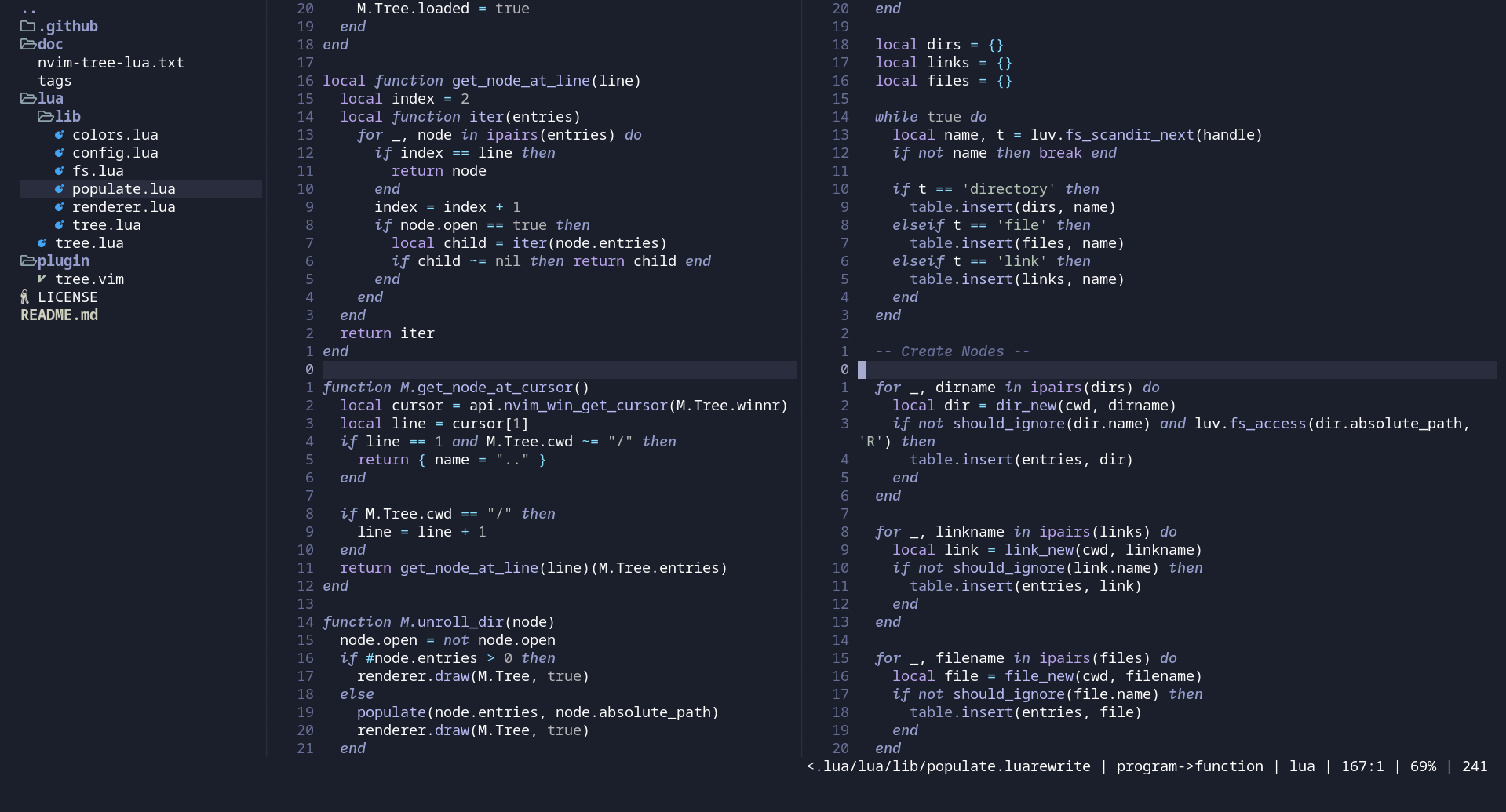
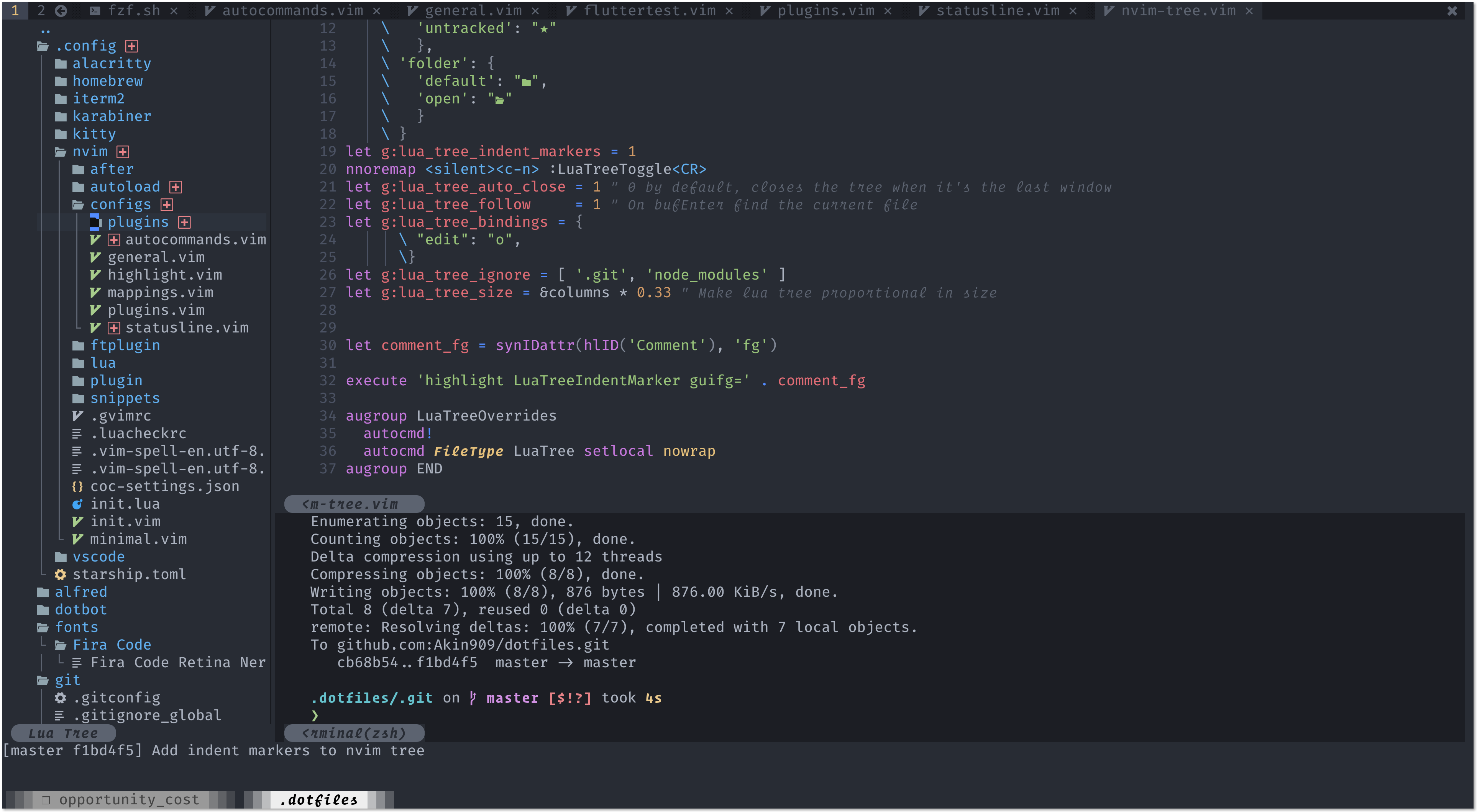
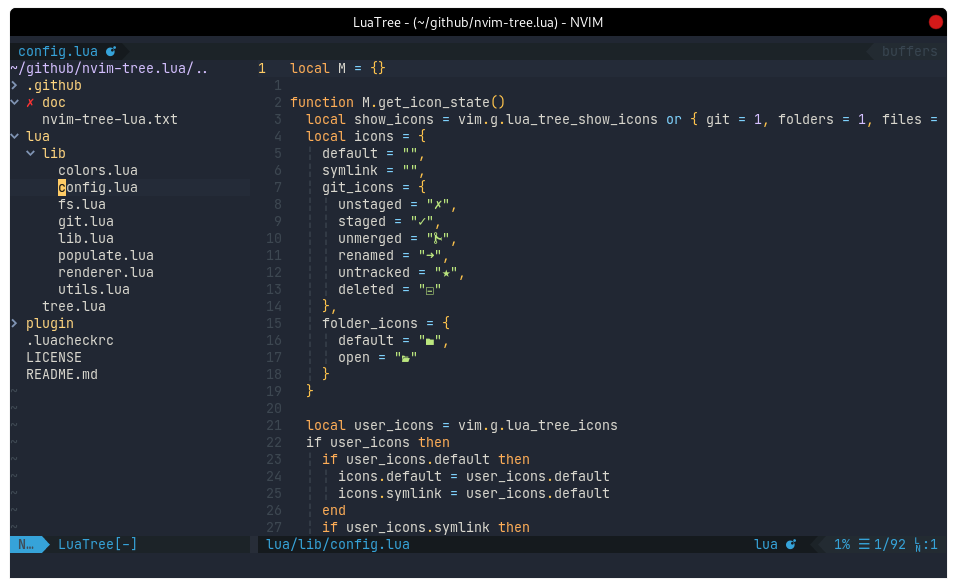
## Screenshots
|
|
|
|
|
|
|
|
|