 3ba383d591
* remove renderer globals: nvim_tree_add_trailing nvim_tree_highlight_opened_files nvim_tree_root_folder_modifier nvim_tree_special_files

* remove renderer globals: nvim_tree_icon_padding

* remove renderer globals: nvim_tree_symlink_arrow

* remove renderer globals: nvim_tree_show_icons, nvim_tree_show_icons

* remove renderer globals: nvim_tree_git_hl

* remove renderer globals: nvim_tree_group_empty

* remove renderer globals: respect_buf_cwd

* remove renderer globals: nvim_tree_create_in_closed_folder

* remove globals: consistency in legacy checks

* remove renderer globals: nvim_tree_special_files

* renderer.icons.symbols -> glyphs
391 lines
14 KiB
Markdown
391 lines
14 KiB
Markdown
# A File Explorer For Neovim Written In Lua
|
|
|
|
[](https://github.com/kyazdani42/nvim-tree.lua/actions/workflows/ci.yml)
|
|
|
|
## Notice
|
|
|
|
This plugin requires [neovim >=0.7.0](https://github.com/neovim/neovim/wiki/Installing-Neovim).
|
|
|
|
If you have issues since the recent setup migration, check out [this guide](https://github.com/kyazdani42/nvim-tree.lua/issues/674)
|
|
|
|
## Install
|
|
|
|
Install with [vim-plug](https://github.com/junegunn/vim-plug):
|
|
|
|
```vim
|
|
" requires
|
|
Plug 'kyazdani42/nvim-web-devicons' " for file icons
|
|
Plug 'kyazdani42/nvim-tree.lua'
|
|
```
|
|
|
|
Install with [packer](https://github.com/wbthomason/packer.nvim):
|
|
|
|
```lua
|
|
use {
|
|
'kyazdani42/nvim-tree.lua',
|
|
requires = {
|
|
'kyazdani42/nvim-web-devicons', -- optional, for file icon
|
|
},
|
|
tag = 'nightly' -- optional, updated every week. (see issue #1193)
|
|
}
|
|
```
|
|
|
|
## Setup
|
|
|
|
Setup should be run in a lua file or in a lua heredoc (`:help lua-heredoc`) if using in a vim file.
|
|
Legacy `g:` options have been migrated to the setup function. See [this issue](https://github.com/kyazdani42/nvim-tree.lua/issues/674) for information on migrating your configuration.
|
|
|
|
```vim
|
|
" vimrc
|
|
nnoremap <C-n> :NvimTreeToggle<CR>
|
|
nnoremap <leader>r :NvimTreeRefresh<CR>
|
|
nnoremap <leader>n :NvimTreeFindFile<CR>
|
|
" More available functions:
|
|
" NvimTreeOpen
|
|
" NvimTreeClose
|
|
" NvimTreeFocus
|
|
" NvimTreeFindFileToggle
|
|
" NvimTreeResize
|
|
" NvimTreeCollapse
|
|
" NvimTreeCollapseKeepBuffers
|
|
|
|
set termguicolors " this variable must be enabled for colors to be applied properly
|
|
|
|
" a list of groups can be found at `:help nvim_tree_highlight`
|
|
highlight NvimTreeFolderIcon guibg=blue
|
|
```
|
|
|
|
```lua
|
|
-- init.lua
|
|
|
|
-- empty setup using defaults: add your own options
|
|
require'nvim-tree'.setup {
|
|
}
|
|
|
|
-- OR
|
|
|
|
-- setup with all defaults
|
|
-- each of these are documented in `:help nvim-tree.OPTION_NAME`
|
|
-- nested options are documented by accessing them with `.` (eg: `:help nvim-tree.view.mappings.list`).
|
|
require'nvim-tree'.setup { -- BEGIN_DEFAULT_OPTS
|
|
auto_reload_on_write = true,
|
|
create_in_closed_folder = false,
|
|
disable_netrw = false,
|
|
hijack_cursor = false,
|
|
hijack_netrw = true,
|
|
hijack_unnamed_buffer_when_opening = false,
|
|
ignore_buffer_on_setup = false,
|
|
open_on_setup = false,
|
|
open_on_setup_file = false,
|
|
open_on_tab = false,
|
|
sort_by = "name",
|
|
update_cwd = false,
|
|
reload_on_bufenter = false,
|
|
respect_buf_cwd = false,
|
|
view = {
|
|
width = 30,
|
|
height = 30,
|
|
hide_root_folder = false,
|
|
side = "left",
|
|
preserve_window_proportions = false,
|
|
number = false,
|
|
relativenumber = false,
|
|
signcolumn = "yes",
|
|
mappings = {
|
|
custom_only = false,
|
|
list = {
|
|
-- user mappings go here
|
|
},
|
|
},
|
|
},
|
|
renderer = {
|
|
add_trailing = false,
|
|
group_empty = false,
|
|
highlight_git = false,
|
|
highlight_opened_files = "none",
|
|
root_folder_modifier = ":~",
|
|
indent_markers = {
|
|
enable = false,
|
|
icons = {
|
|
corner = "└ ",
|
|
edge = "│ ",
|
|
none = " ",
|
|
},
|
|
},
|
|
icons = {
|
|
webdev_colors = true,
|
|
git_placement = "before",
|
|
padding = " ",
|
|
symlink_arrow = " ➛ ",
|
|
show = {
|
|
file = true,
|
|
folder = true,
|
|
folder_arrow = true,
|
|
git = true,
|
|
},
|
|
glyphs = {
|
|
default = "",
|
|
symlink = "",
|
|
folder = {
|
|
arrow_closed = "",
|
|
arrow_open = "",
|
|
default = "",
|
|
open = "",
|
|
empty = "",
|
|
empty_open = "",
|
|
symlink = "",
|
|
symlink_open = "",
|
|
},
|
|
git = {
|
|
unstaged = "✗",
|
|
staged = "✓",
|
|
unmerged = "",
|
|
renamed = "➜",
|
|
untracked = "★",
|
|
deleted = "",
|
|
ignored = "◌",
|
|
},
|
|
},
|
|
},
|
|
special_files = { "Cargo.toml", "Makefile", "README.md", "readme.md" },
|
|
},
|
|
hijack_directories = {
|
|
enable = true,
|
|
auto_open = true,
|
|
},
|
|
update_focused_file = {
|
|
enable = false,
|
|
update_cwd = false,
|
|
ignore_list = {},
|
|
},
|
|
ignore_ft_on_setup = {},
|
|
system_open = {
|
|
cmd = "",
|
|
args = {},
|
|
},
|
|
diagnostics = {
|
|
enable = false,
|
|
show_on_dirs = false,
|
|
icons = {
|
|
hint = "",
|
|
info = "",
|
|
warning = "",
|
|
error = "",
|
|
},
|
|
},
|
|
filters = {
|
|
dotfiles = false,
|
|
custom = {},
|
|
exclude = {},
|
|
},
|
|
git = {
|
|
enable = true,
|
|
ignore = true,
|
|
timeout = 400,
|
|
},
|
|
actions = {
|
|
use_system_clipboard = true,
|
|
change_dir = {
|
|
enable = true,
|
|
global = false,
|
|
restrict_above_cwd = false,
|
|
},
|
|
open_file = {
|
|
quit_on_open = false,
|
|
resize_window = true,
|
|
window_picker = {
|
|
enable = true,
|
|
chars = "ABCDEFGHIJKLMNOPQRSTUVWXYZ1234567890",
|
|
exclude = {
|
|
filetype = { "notify", "packer", "qf", "diff", "fugitive", "fugitiveblame" },
|
|
buftype = { "nofile", "terminal", "help" },
|
|
},
|
|
},
|
|
},
|
|
},
|
|
trash = {
|
|
cmd = "trash",
|
|
require_confirm = true,
|
|
},
|
|
live_filter = {
|
|
prefix = "[FILTER]: ",
|
|
always_show_folders = true,
|
|
},
|
|
log = {
|
|
enable = false,
|
|
truncate = false,
|
|
types = {
|
|
all = false,
|
|
config = false,
|
|
copy_paste = false,
|
|
diagnostics = false,
|
|
git = false,
|
|
profile = false,
|
|
},
|
|
},
|
|
} -- END_DEFAULT_OPTS
|
|
```
|
|
|
|
## Key Bindings
|
|
|
|
### Default actions
|
|
|
|
- `<CR>` or `o` on the root folder will cd in the above directory
|
|
- `<C-]>` will cd in the directory under the cursor
|
|
- `<BS>` will close current opened directory or parent
|
|
- type `a` to add a file. Adding a directory requires leaving a leading `/` at the end of the path.
|
|
> you can add multiple directories by doing foo/bar/baz/f and it will add foo bar and baz directories and f as a file
|
|
- type `r` to rename a file
|
|
- type `<C-r>` to rename a file and omit the filename on input
|
|
- type `x` to add/remove file/directory to cut clipboard
|
|
- type `c` to add/remove file/directory to copy clipboard
|
|
- type `y` will copy name to system clipboard
|
|
- type `Y` will copy relative path to system clipboard
|
|
- type `gy` will copy absolute path to system clipboard
|
|
- type `p` to paste from clipboard. Cut clipboard has precedence over copy (will prompt for confirmation)
|
|
- type `d` to delete a file (will prompt for confirmation)
|
|
- type `D` to trash a file (configured in setup())
|
|
- type `]c` to go to next git item
|
|
- type `[c` to go to prev git item
|
|
- type `-` to navigate up to the parent directory of the current file/directory
|
|
- type `s` to open a file with default system application or a folder with default file manager (if you want to change the command used to do it see `:h nvim-tree.setup` under `system_open`)
|
|
- if the file is a directory, `<CR>` will open the directory otherwise it will open the file in the buffer near the tree
|
|
- if the file is a symlink, `<CR>` will follow the symlink (if the target is a file)
|
|
- `<C-v>` will open the file in a vertical split
|
|
- `<C-x>` will open the file in a horizontal split
|
|
- `<C-t>` will open the file in a new tab
|
|
- `<Tab>` will open the file as a preview (keeps the cursor in the tree)
|
|
- `I` will toggle visibility of hidden folders / files
|
|
- `H` will toggle visibility of dotfiles (files/folders starting with a `.`)
|
|
- `R` will refresh the tree
|
|
- Double left click acts like `<CR>`
|
|
- Double right click acts like `<C-]>`
|
|
- `W` will collapse the whole tree
|
|
- `S` will prompt the user to enter a path and then expands the tree to match the path
|
|
- `.` will enter vim command mode with the file the cursor is on
|
|
- `C-k` will toggle a popup with file infos about the file under the cursor
|
|
- `f` will allow you to filter nodes dynamically based on regex matching.
|
|
|
|
### Settings
|
|
|
|
The `list` option in `view.mappings.list` is a table of
|
|
```lua
|
|
-- key can be either a string or a table of string (lhs)
|
|
-- action is the name of the action, set to `""` to remove default action
|
|
-- action_cb is the function that will be called, it receives the node as a parameter. Optional for default actions
|
|
-- mode is normal by default
|
|
|
|
local tree_cb = require'nvim-tree.config'.nvim_tree_callback
|
|
|
|
local function print_node_path(node) {
|
|
print(node.absolute_path)
|
|
}
|
|
|
|
local list = {
|
|
{ key = {"<CR>", "o" }, action = "edit", mode = "n"},
|
|
{ key = "p", action = "print_path", action_cb = print_node_path },
|
|
{ key = "s", cb = tree_cb("vsplit") }, --tree_cb and the cb property are deprecated
|
|
{ key = "<2-RightMouse>", action = "" }, -- will remove default cd action
|
|
}
|
|
```
|
|
|
|
These are the default bindings:
|
|
```lua
|
|
|
|
-- default mappings
|
|
local list = {
|
|
{ key = {"<CR>", "o", "<2-LeftMouse>"}, action = "edit" },
|
|
{ key = "<C-e>", action = "edit_in_place" },
|
|
{ key = {"O"}, action = "edit_no_picker" },
|
|
{ key = {"<2-RightMouse>", "<C-]>"}, action = "cd" },
|
|
{ key = "<C-v>", action = "vsplit" },
|
|
{ key = "<C-x>", action = "split" },
|
|
{ key = "<C-t>", action = "tabnew" },
|
|
{ key = "<", action = "prev_sibling" },
|
|
{ key = ">", action = "next_sibling" },
|
|
{ key = "P", action = "parent_node" },
|
|
{ key = "<BS>", action = "close_node" },
|
|
{ key = "<Tab>", action = "preview" },
|
|
{ key = "K", action = "first_sibling" },
|
|
{ key = "J", action = "last_sibling" },
|
|
{ key = "I", action = "toggle_git_ignored" },
|
|
{ key = "H", action = "toggle_dotfiles" },
|
|
{ key = "R", action = "refresh" },
|
|
{ key = "a", action = "create" },
|
|
{ key = "d", action = "remove" },
|
|
{ key = "D", action = "trash" },
|
|
{ key = "r", action = "rename" },
|
|
{ key = "<C-r>", action = "full_rename" },
|
|
{ key = "x", action = "cut" },
|
|
{ key = "c", action = "copy" },
|
|
{ key = "p", action = "paste" },
|
|
{ key = "y", action = "copy_name" },
|
|
{ key = "Y", action = "copy_path" },
|
|
{ key = "gy", action = "copy_absolute_path" },
|
|
{ key = "[c", action = "prev_git_item" },
|
|
{ key = "]c", action = "next_git_item" },
|
|
{ key = "-", action = "dir_up" },
|
|
{ key = "s", action = "system_open" },
|
|
{ key = "f", action = "live_filter" },
|
|
{ key = "F", action = "clear_live_filter" },
|
|
{ key = "q", action = "close" },
|
|
{ key = "g?", action = "toggle_help" },
|
|
{ key = "W", action = "collapse_all" },
|
|
{ key = "S", action = "search_node" },
|
|
{ key = "<C-k>", action = "toggle_file_info" },
|
|
{ key = ".", action = "run_file_command" }
|
|
}
|
|
```
|
|
|
|
You can toggle the help UI by pressing `g?`.
|
|
|
|
## Tips & reminders
|
|
|
|
1. You can add a directory by adding a `/` at the end of the paths, entering multiple directories `BASE/foo/bar/baz` will add directory foo, then bar and add a file baz to it.
|
|
2. You can update window options for the tree by setting `require"nvim-tree.view".View.winopts.MY_OPTION = MY_OPTION_VALUE`
|
|
3. `toggle` has a second parameter which allows to toggle without focusing the explorer (`require"nvim-tree".toggle(false, true)`).
|
|
4. You can allow nvim-tree to behave like vinegar (see `:help nvim-tree-vinegar`).
|
|
5. If you `:set nosplitright`, the files will open on the left side of the tree, placing the tree window in the right side of the file you opened.
|
|
6. You can automatically close the tab/vim when nvim-tree is the last window in the tab. WARNING: other plugins or automation may interfere with this:
|
|
```vim
|
|
autocmd BufEnter * ++nested if winnr('$') == 1 && bufname() == 'NvimTree_' . tabpagenr() | quit | endif
|
|
```
|
|
|
|
## Diagnostic Logging
|
|
|
|
You may enable diagnostic logging to `$XDG_CACHE_HOME/nvim/nvim-tree.log`. See `:help nvim-tree.log`.
|
|
|
|
## Performance Issues
|
|
|
|
If you are experiencing performance issues with nvim-tree.lua, you can enable profiling in the logs. It is advisable to enable git logging at the same time, as that can be a source of performance problems.
|
|
|
|
```lua
|
|
log = {
|
|
enable = true,
|
|
truncate = true,
|
|
types = {
|
|
git = true,
|
|
profile = true,
|
|
},
|
|
},
|
|
```
|
|
|
|
Please attach `$XDG_CACHE_HOME/nvim/nvim-tree.log` if you raise an issue.
|
|
|
|
*Performance Tips:*
|
|
|
|
* If you are using fish as an editor shell (which might be fixed in the future), try set `shell=/bin/bash` in your vim config. Alternatively, you can [prevent fish from loading interactive configuration in a non-interactive shell](https://github.com/kyazdani42/nvim-tree.lua/issues/549#issuecomment-1127394585).
|
|
|
|
* Try manually running the git command (see the logs) in your shell e.g. `git --no-optional-locks status --porcelain=v1 --ignored=matching -u`.
|
|
|
|
* Huge git repositories may timeout after the default `git.timeout` of 400ms. Try increasing that in your setup if you see `[git] job timed out` in the logs.
|
|
|
|
* Try temporarily disabling git integration by setting `git.enable = false` in your setup.
|
|
|
|
## Screenshots
|
|
|
|
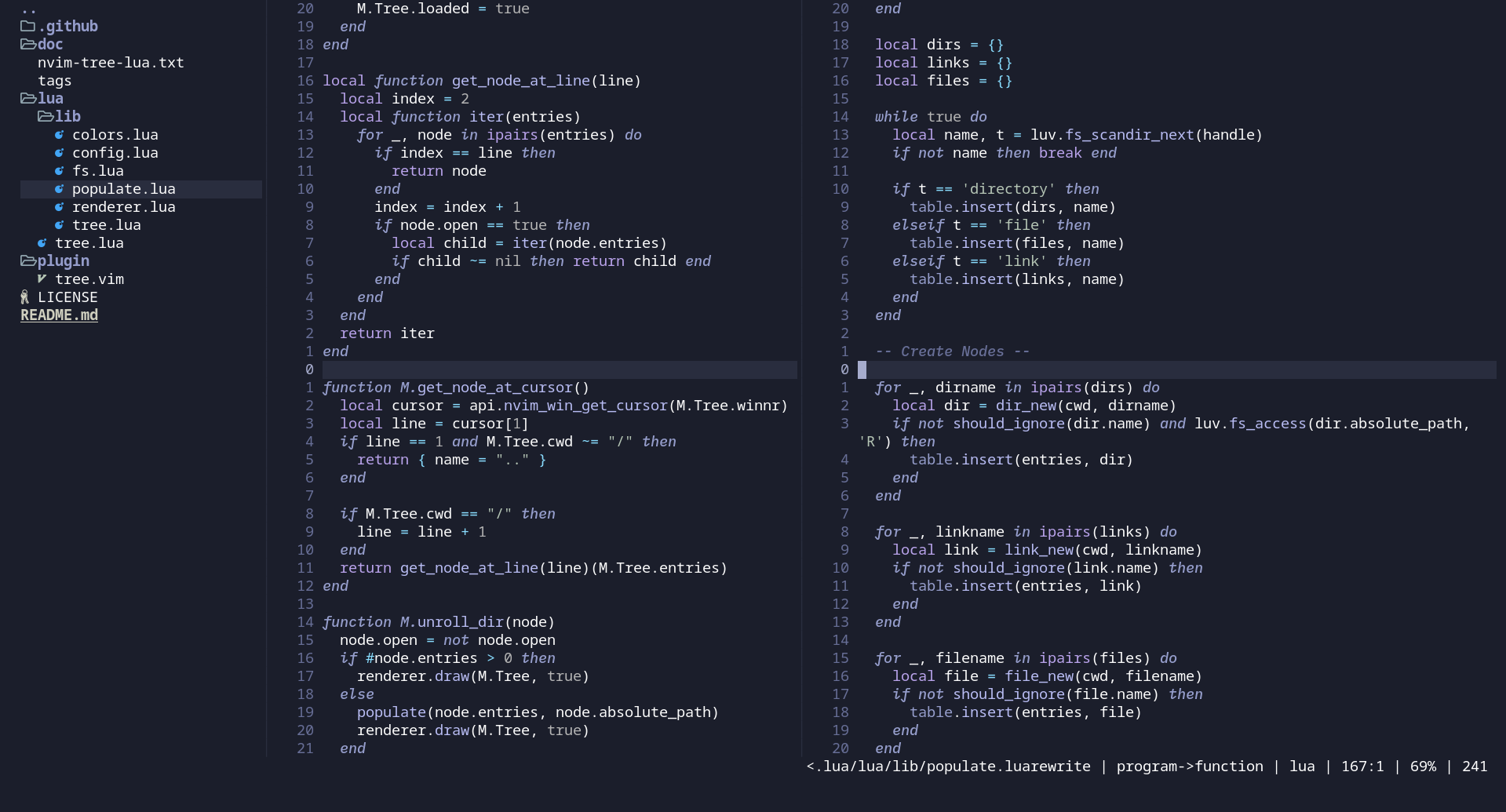
|
|
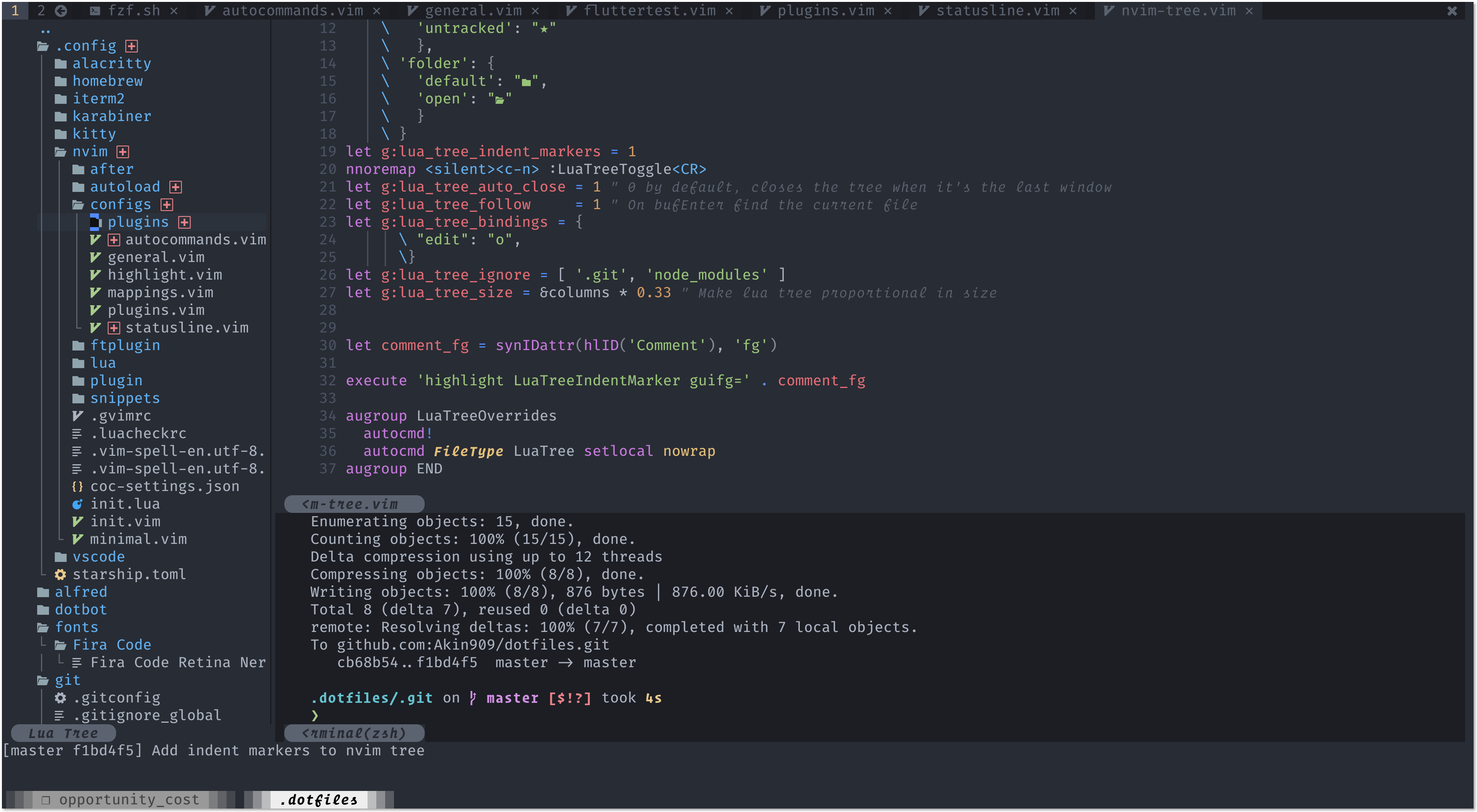
|
|
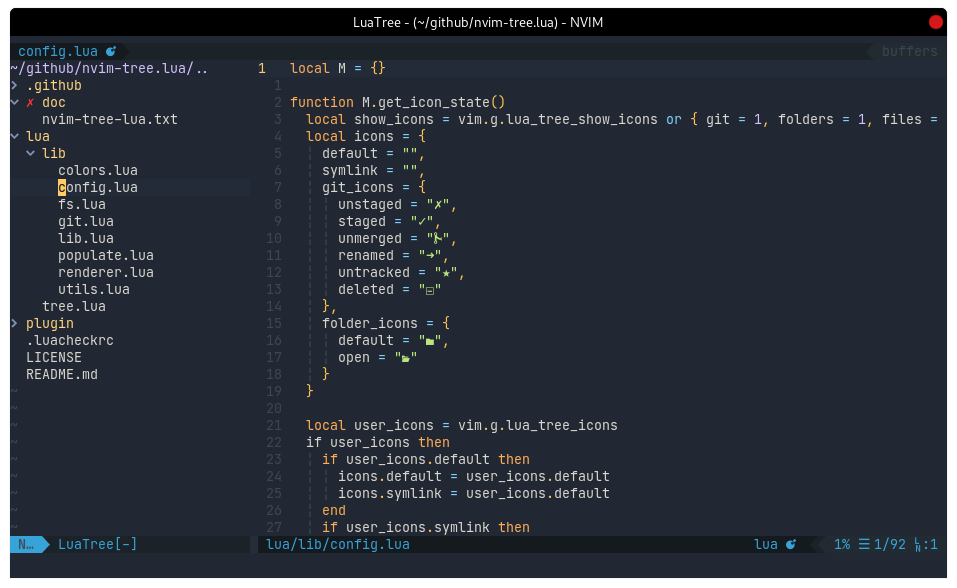
|
|
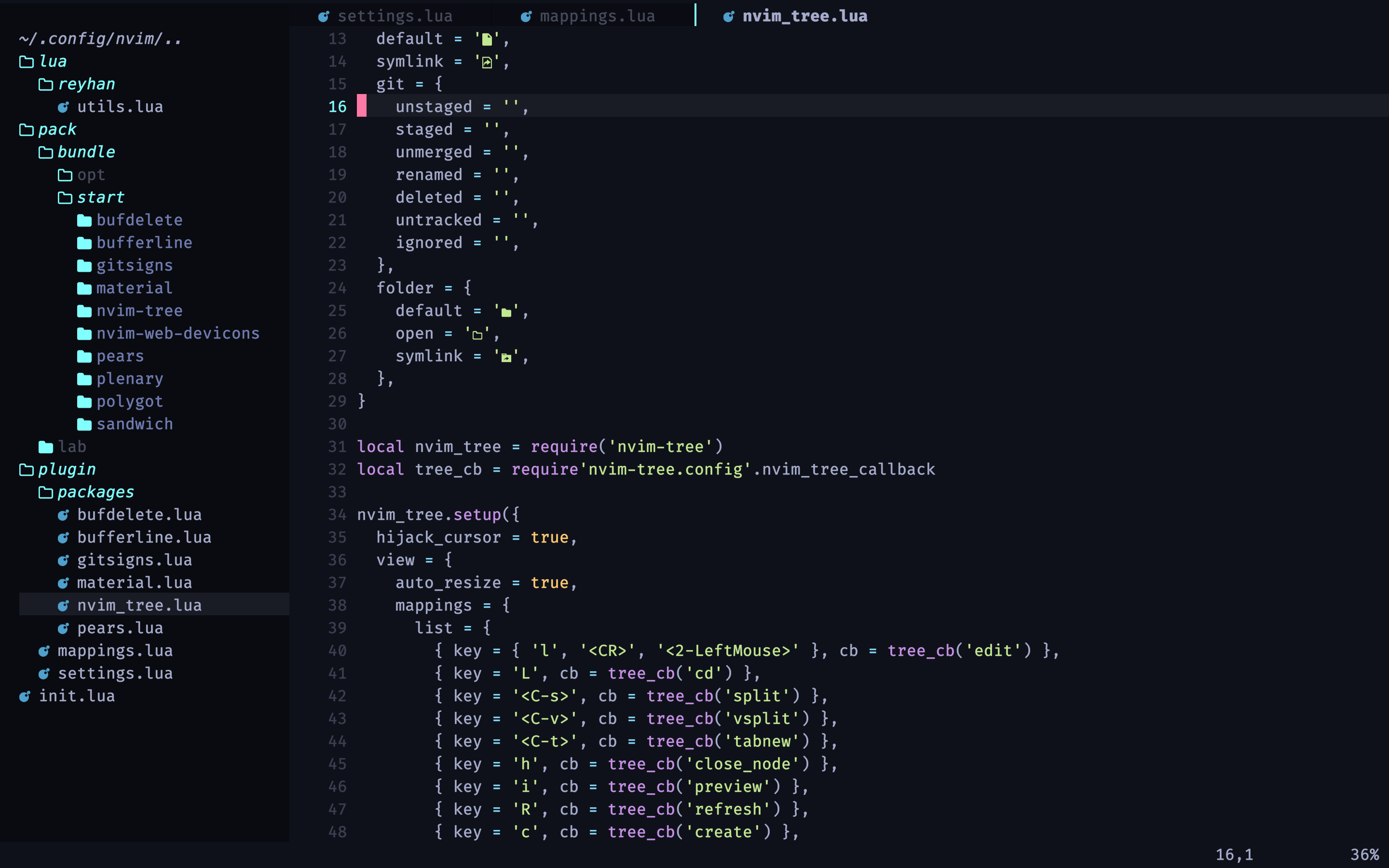
|