
93 lines
2.9 KiB
Markdown
93 lines
2.9 KiB
Markdown
# A File Explorer For Neovim Written In Lua
|
|
|
|
## Notice
|
|
|
|
- This plugin does not work on windows.
|
|
|
|
## Install
|
|
|
|
Install with [vim-plug](https://github.com/junegunn/vim-plug):
|
|
```vim
|
|
Plug 'kyazdani42/nvim-tree.lua'
|
|
```
|
|
|
|
## Setup
|
|
|
|
```vim
|
|
let g:lua_tree_side = 'right' | 'left' "left by default
|
|
let g:lua_tree_size = 40 "30 by default
|
|
let g:lua_tree_ignore = [ '.git', 'node_modules', '.cache' ] "empty by default, not working on mac atm
|
|
let g:lua_tree_auto_open = 1 "0 by default, opens the tree when typing `vim $DIR` or `vim`
|
|
let g:lua_tree_auto_close = 1 "0 by default, closes the tree when it's the last window
|
|
let g:lua_tree_follow = 1 "0 by default, this option will bind BufEnter to the LuaTreeFindFile command
|
|
" :help LuaTreeFindFile for more info
|
|
let g:lua_tree_show_icons = {
|
|
\ 'git': 1,
|
|
\ 'folders': 0,
|
|
\ 'files': 0,
|
|
\}
|
|
"If 0, do not show the icons for one of 'git' 'folder' and 'files'
|
|
"1 by default, notice that if 'files' is 1, it will only display
|
|
"if web-devicons is installed and on your runtimepath
|
|
|
|
" You can edit keybindings be defining this variable
|
|
" You don't have to define all keys.
|
|
" NOTE: the 'edit' key will wrap/unwrap a folder and open a file
|
|
let g:lua_tree_bindings = {
|
|
\ 'edit': '<CR>',
|
|
\ 'edit_vsplit': '<C-v>',
|
|
\ 'edit_split': '<C-x>',
|
|
\ 'edit_tab': '<C-t>',
|
|
\ 'cd': '.',
|
|
\ 'create': 'a',
|
|
\ 'remove': 'd',
|
|
\ 'rename': 'r'
|
|
\ }
|
|
|
|
nnoremap <C-n> :LuaTreeToggle<CR>
|
|
nnoremap <leader>r :LuaTreeRefresh<CR>
|
|
nnoremap <leader>n :LuaTreeFindFile<CR>
|
|
|
|
set termguicolors " this variable must be enabled for colors to be applied properly
|
|
|
|
" a list of groups can be found at `:help lua_tree_highlight`
|
|
highlight LuaTreeFolderName guibg=cyan gui=bold,underline
|
|
highlight LuaTreeFolderIcon guibg=blue
|
|
```
|
|
|
|
## KeyBindings
|
|
|
|
- move around like in any vim buffer
|
|
- `<CR>` on `..` will cd in the above directory
|
|
- `.` will cd in the directory under the cursor
|
|
- type `a` to add a file
|
|
- type `r` to rename a file
|
|
- type `d` to delete a file (will prompt for confirmation)
|
|
- if the file is a directory, `<CR>` will open the directory
|
|
- otherwise it will open the file in the buffer near the tree
|
|
- if the file is a symlink, `<CR>` will follow the symlink
|
|
- type `<C-v>` will open the file in a vertical split
|
|
- type `<C-x>` will open the file in a horizontal split
|
|
- type `<C-t>` will open the file in a new tab
|
|
- Double left click acts like `<CR>`
|
|
- Double right click acts like `.`
|
|
|
|
## Features
|
|
- [x] Open file in current buffer or in split with FzF like bindings (`<CR>`, `<C-v>`, `<C-x>`, `<C-t>`)
|
|
- [x] File icons with vim-devicons
|
|
- [x] Syntax highlighting ([exa](https://github.com/ogham/exa) like)
|
|
- [x] Change directory with `.`
|
|
- [x] Add / Rename / delete files
|
|
- [x] Git integration
|
|
- [x] Mouse support
|
|
|
|
## Screenshot
|
|
|
|
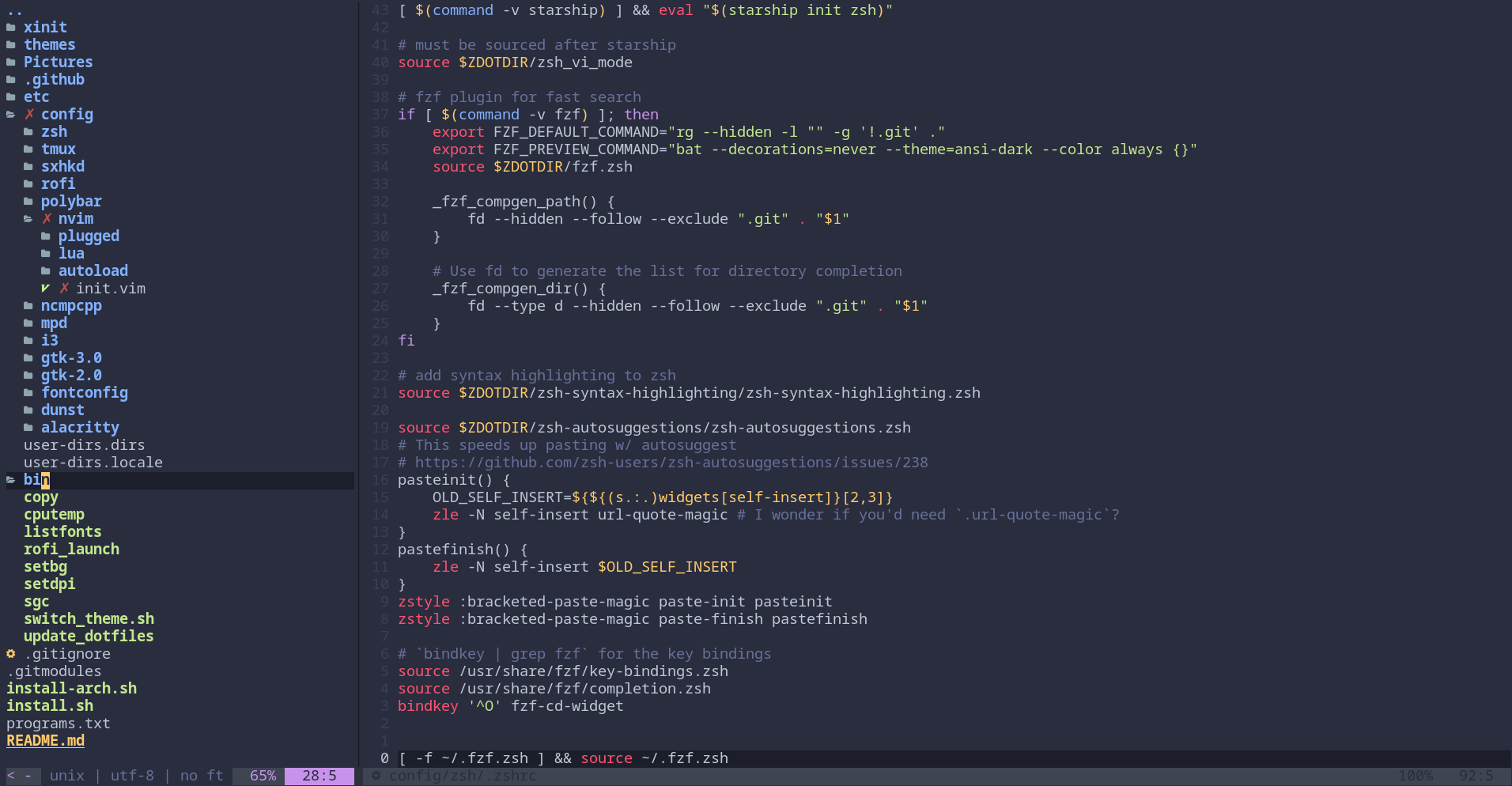
|
|
|
|
## TODO
|
|
|
|
- Tree creation could be async
|
|
- bufferize tree
|
|
- better default colors (use vim highlight groups)
|