 9eec60fcfc
After testing nerdtree, it seems the window might be messed up
if the user is not careful
A File Explorer For Neovim Written In Lua
Notice
- I am working on this plugin to learn lua, neovim's api and create a file explorer with features i need.
- This plugin does not work on windows.
Install
Install with vim-plug:
Plug 'kyazdani42/nvim-tree.lua'
Setup
let g:lua_tree_side = 'right' | 'left' "left by default
let g:lua_tree_size = 40 "30 by default
let g:lua_tree_ignore = [ '.git', 'node_modules', '.cache' ] "empty by default

nnoremap <C-n> :LuaTreeToggle<CR>
nnoremap <leader>n :LuaTreeRefresh<CR>
KeyBindings
- move around like in any vim buffer
<CR>on..will cd in the above directory<C-[>will cd in the directory under the cursor- type
ato add a file - type
rto rename a file - type
dto delete a file (will prompt for confirmation) - if the file is a directory,
<CR>will open the directory - otherwise it will open the file in the buffer near the tree
- if the file is a symlink,
<CR>will follow the symlink - type
<C-v>will open the file in a vertical split - type
<C-x>will open the file in a horizontal split - Double left click acts like
<CR> - Double right click acts like
<C-[>
Features
- Open file in current buffer or in split with FzF like bindings (
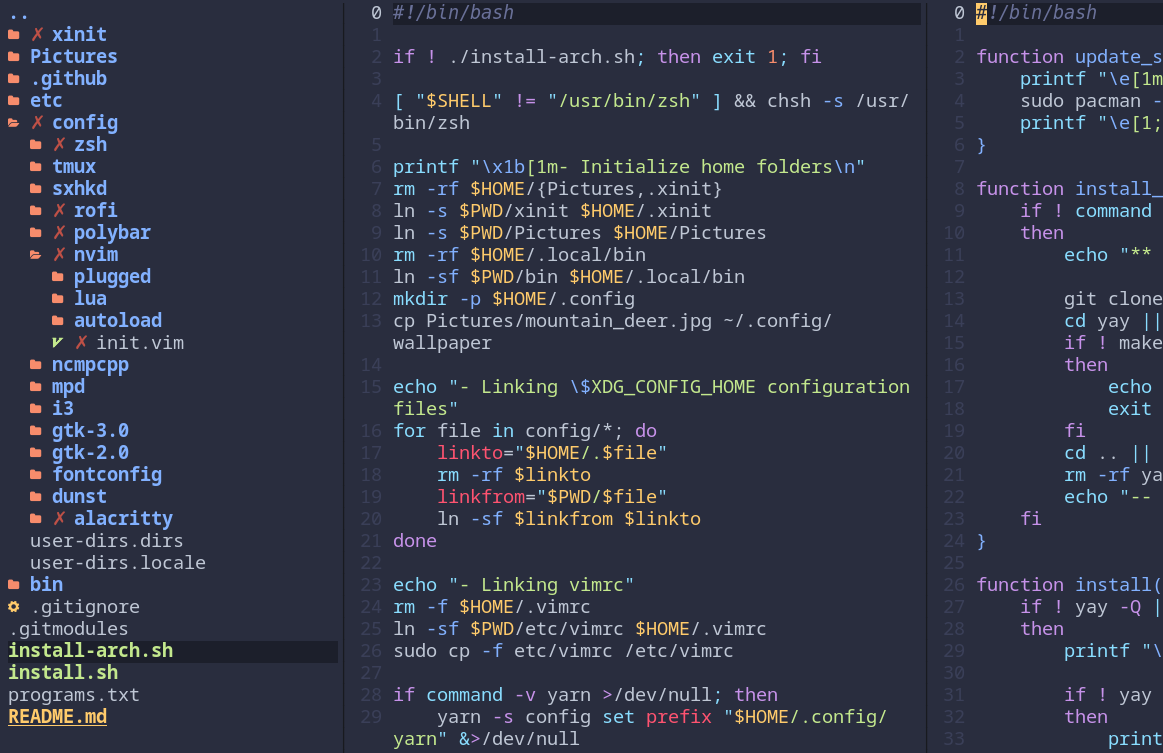
CR,C-v,C-x) - File icons with vim-devicons
- Syntax highlighting (exa like)
- Change directory with
C-[ - Add / Rename / delete files
- Git integration
- Mouse support
Screenshot
TODO
- use libuv functions instead of
touchandmkdirincreate_file()and allow file creation with path likefoo/bar/baz - cd command to move faster accross the fs if needed
- quickly find file in the directory structure
- html docs